
How to Share Wordle Results and Read the Emoji Grid
Learning how to share Wordle results is one of the most enjoyable parts of the daily puzzle ritual. After you finish the word of the day, Wordle builds a small grid of colored squares that captures your whole game without giving away the answer. This guide explains what the emoji grid means, how to share Wordle results on any device, how to read the grids your friends post, and the simple etiquette that keeps the game fun for everyone.
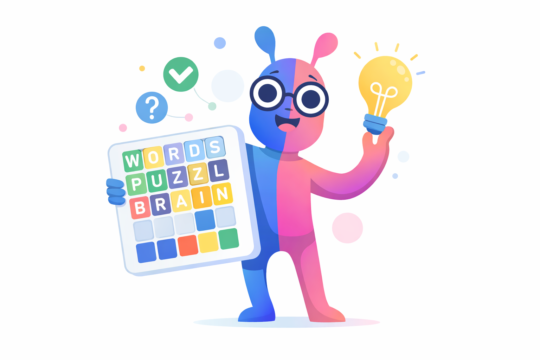
What the Wordle Emoji Grid Means
Each row in the grid represents one guess, and each square in the row represents one letter. The colors work exactly like the tiles in the game:
- Green square: the letter is correct and sits in the right position.
- Yellow square: the letter appears in the answer but sits in the wrong position.
- Dark square: the letter does not appear in the answer at all.
Here is a small example of what a shared grid can look like:
⬛🟨⬛⬛🟩
🟩⬛🟨⬛⬛
🟩🟩🟩🟩🟩
In this example the player needed three guesses. The first two rows show partial matches, and the third row is fully green, which means the answer was found on guess number three. A grid with six complete rows and an X in the score line, shown as X/6, means the player ran out of guesses without finding the word.
Why Players Love to Share Wordle Results
The emoji grid became a cultural phenomenon because it solves a tricky problem: how do you celebrate a win without spoiling the puzzle for friends who have not played yet? Colored squares carry all the drama of the game, the near misses and the comeback, while hiding the actual letters. Posting your grid invites others to compare their own journey, and reading their grids teaches you new ways to think about the game.
How to Share Wordle Results on Any Device
Sharing takes only a few seconds once you know where the button lives:
- Finish the daily puzzle. The results panel appears automatically after your final guess.
- Tap the Share button. Wordle copies your emoji grid plus a header line to your clipboard.
- Paste it where you like. Open your chat app or social network and paste. Your grid appears as colored squares beneath a line that shows the puzzle number and your score.
On a phone, the Share button can open your system share sheet, so you can send the grid straight to a conversation without pasting. On a computer, paste works everywhere, from group chats to social posts to email.
How to Read Someone Else’s Emoji Grid
Decoding a grid from friends who share Wordle results is easy once you know the format:
- Count the rows. The number of rows equals the number of guesses used.
- Check the first row. Several green squares in row one usually means a strong opening word.
- Look for the X. A score of X/6 means the player did not solve the puzzle that day.
- Spot the asterisk. A star next to the score means the game was played in hard mode, where every hint must be used in the next guess.
Try reading grids as little stories. A grid that moves from mostly dark squares to a full green row tells the tale of a slow start and a brilliant finish.
Sharing Etiquette: Keep the Game Free of Spoilers
A few simple habits will make your shares welcome everywhere:
- Never type the answer next to your grid. The squares alone are completely safe; adding the word ruins the puzzle for others.
- Give friends time. Many players solve with their morning coffee while others play late at night, so consider waiting a few hours before posting.
- Warn before strategy talk. Discussing opening words is fine, but detailed talk about the day’s answer belongs behind a spoiler warning.
- Celebrate every result. A lucky 2/6 and a dramatic X/6 miss both make great stories, so share them with pride.
Where to Share Wordle Results for the Best Reactions
Where you share Wordle results shapes the reactions you get. A private group chat with friends who play daily is the perfect audience, because everyone understands the grid instantly and the friendly rivalry keeps everyone coming back. Post your grid there right after you finish for the liveliest discussion.
Public social media reaches a wider audience but needs more care. Many followers do not play daily, so your grid might confuse them. If you share Wordle results publicly, add a short line of context so non players understand your score, and avoid posting too early in the day when most people have not played yet.
Dedicated puzzle communities are another great home for your grids. These groups love analyzing opening words and comeback stories, so your most dramatic grids will get the appreciation they deserve. Wherever you post, the spoiler free nature of the emoji grid means you can share proudly without ruining the game for anyone.
Timing matters as much as place. If you share Wordle results within an hour of midnight when the new puzzle appears, you join the first wave of players. Share later in the day and you join friends comparing notes. Either way, the grid keeps every share fresh and fun.
You do not need a social media account to share Wordle results. The Share button copies your grid to your clipboard, so you can paste it into a text message, an email, or any chat app. This makes it easy to share Wordle results privately with friends and family who play.
What the Score Line and Streaks Mean
The header above your grid is a mini summary of your game. It shows the puzzle number, which simply counts the daily puzzles in order, followed by your score for the day, such as 4/6. Many players also track streaks, the number of consecutive days played, and win percentage. Sharing these numbers alongside your grid adds friendly context, and watching your own streak grow is one of the most satisfying parts of playing daily.
Share Button Not Working? Quick Fixes
If you share Wordle results daily and the button suddenly does nothing, work through these fixes:
- Allow clipboard access when the browser asks. If permission is denied, the copy step fails without an error message.
- Try another browser or update the one you use. Older browsers sometimes block the share sheet on phones.
- Reload the page. Your completed game is usually saved, and the Share button often works after a fresh load.
- Copy manually as a last resort. You can rebuild the grid from emoji squares yourself, although it takes much longer than the one tap button.
Common Questions About How to Share Wordle Results
Does the shared grid reveal the answer? No. It shows only colors, never letters, so it is always safe to view before you play.
Can I share an old puzzle? The Share button appears for the current daily puzzle after you complete it. Grids from previous days can still be copied from your statistics panel if you saved them.
Why do some grids look different? Players who use high contrast mode see orange and blue squares instead of green and yellow. The meaning stays exactly the same.
Does sharing affect my streak? No. Sharing is purely cosmetic and never changes your statistics.
Improve the Grids You Share
Now that you know how to share Wordle results and read every grid like a pro, the next step is making your own grids better. Explore our Wordle guides and strategies for smarter opening words, check the daily Wordle hints before you play, and learn how to solve Wordle faster using letter frequency. Better guesses today mean grids worth bragging about tomorrow. For more daily puzzle help, visit the Wordle0 homepage.


One Comment