
Quordle Keyboard Reading: Track Letters Like a Pro
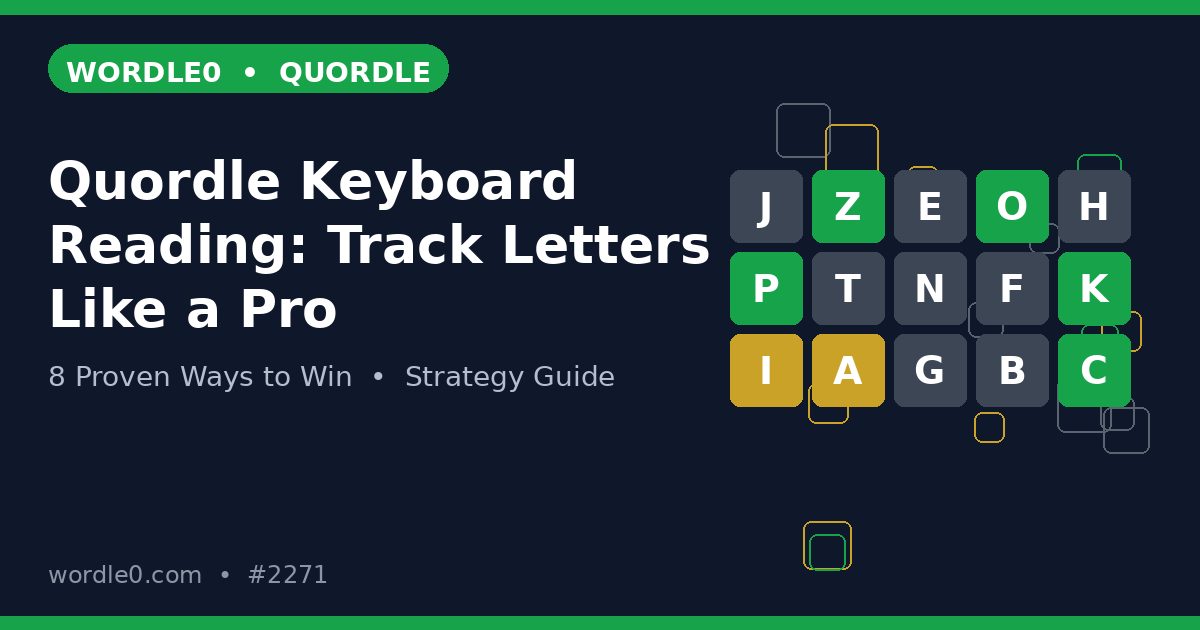
The keyboard at the bottom of your Quordle screen is not just for typing. It is a live map of everything you know, color coded after every guess, and the players who win read it like a dashboard. Learning quordle keyboard reading turns that strip of letters into your command center for all four grids.
This guide shows you how to use quordle keyboard reading to track tested letters, spot untested opportunities, and plan guesses from the keyboard alone. The players who master quordle keyboard reading stop scrolling back through guesses and start playing from the map.

What the Keyboard Colors Really Tell You
Green means confirmed in that position somewhere, yellow means present but misplaced, and gray means eliminated from every answer. Those three colors on the keyboard are the summary of your whole game, and quordle keyboard reading starts with trusting them completely. The keyboard never lies, even when your memory does.
Gray is the most underrated color. A gray letter is gone from all four grids, which is massive information. The Quordle consonant mapping guide builds on this idea, treating gray letters as map data instead of failures.
The Untested Letters: Your Remaining Map
Letters that are still white or uncolored are your remaining options. Quordle keyboard reading means scanning those untested letters before every guess and asking which ones matter most. Our Quordle letter frequency guide tells you which untested letters deserve priority.
Count them. If fifteen letters remain untested and you have six guesses left, you cannot test everything, so you must prioritize. The keyboard makes the math visible: untested priority letters first, untested rare letters only when clues demand them.
Reading Per Grid vs Reading the Keyboard
Here is the trap: the keyboard shows global colors, but each grid has its own truth. A letter can be green in grid one and gray in grid two, and the keyboard shows the best result. Quordle keyboard reading means using the keyboard for the global map while reading each grid for local detail.
This two level reading is the same skill the Quordle green letters guide teaches for anchors: global knowledge guides the guess, local knowledge finishes the word. Neither level works alone.
Planning Guesses From the Keyboard Alone
Before each guess, read the keyboard and name the letters your next word must include. A good planning pass takes ten seconds: pick two untested priority consonants, one untested vowel, and keep confirmed letters in place. That is quordle keyboard reading turned into action.
Top players do this automatically. They glance at the keyboard, see the gaps, and build a word that fills them. The Quordle vowels first guide openers are built from exactly this habit: reading untested letters and covering them.
The Midgame Keyboard Check Routine
After every guess from guess three onward, run a thirty second keyboard check. Name three untested letters, check which grids still need them, and confirm your next guess tests at least two. This routine keeps quordle keyboard reading active when the game gets tense and attention narrows.
Pair the check with the Quordle warm up routine, which trains the same scanning skill before the daily. Warm eyes read keyboards faster than cold ones.
Keyboard Traps: When Colors Mislead
Double letters are the classic keyboard trap. A letter showing green does not reveal whether the answer has one copy or two, so the keyboard can hide doubles. Our Quordle double letters guide covers how to test for the second copy when the keyboard stays quiet.
Another trap is the shared color problem: yellow in the keyboard might come from grid one while grid three has never seen the letter. Always verify a letter’s status in the specific grid you are solving, and use the Quordle yellow letters guide to place misplaced letters correctly.
Using the Keyboard to Avoid Repeats
Repeating a gray letter is the purest wasted guess in Quordle, and the keyboard makes it impossible if you read it. Before submitting, glance at your word’s letters against the keyboard colors. Any gray letter in your guess is a mistake you can catch in one second.
This one habit saves more guesses than any advanced tactic. The Quordle common mistakes guide lists gray letter repeats among the costliest errors, and quordle keyboard reading is the direct cure.
Common Keyboard Reading Mistakes to Avoid
The biggest mistake is never looking at the keyboard at all, playing from memory instead of the map. The second is treating keyboard colors as per grid truth instead of global summary. The third is ignoring the untested letters, the white keys that hold your remaining options.
Another error is keyboard tunnel vision: staring at the keyboard so hard you stop reading the grids. The keyboard is the map, the grids are the territory. Great quordle keyboard reading balances both, and never confuses one for the other.
Practice Drills for Keyboard Speed
Drill one: after any game, cover the grids and reconstruct what happened from the keyboard colors alone. Drill two: before each guess in practice mode, say the three untested letters out loud. Run both on the official Quordle site, where free rounds make repetition painless.
Drill three: play a round where you may only look at the keyboard between guesses, not the grids, for guesses two and three. That constraint forces real quordle keyboard reading and breaks the habit of playing from memory.
Frequently Asked Questions About Quordle Keyboard Reading
Should you check the keyboard before every guess? Yes. A two second glance prevents gray repeats and reminds you of untested letters, and it costs nothing.
Why does the keyboard show a letter as yellow when it is gray in one grid? Because colors show the best result across all grids. Read each grid for the local truth behind the global color.
Can the keyboard tell you about double letters? Not directly. A green letter may hide a second copy, so test doubles deliberately when candidates suggest them.
Where can you practice keyboard reading? On the official Quordle site, practice mode lets you drill the keyboard check routine without streak pressure.
Make quordle keyboard reading your between guess ritual and the game slows down in the best way. You see more, waste less, and solve with the calm of a player who always knows the map.
Review tonight’s game with the keyboard in mind. Replay your guesses and check whether each one tested letters the keyboard still showed as untested. Players who audit their games this way find that most lost guesses were visible on the keyboard before they were typed, which makes quordle keyboard reading the cheapest skill to build.
Make the keyboard glance your pre guess ritual starting tomorrow. Two seconds, three questions: what is confirmed, what is eliminated, what remains untested. That tiny quordle keyboard reading habit will save you more guesses this month than any opening word ever could.
Open your next daily and make the first keyboard glance before guess two. Name the untested priority letters out loud, build your guess around them, and feel how different the game plays. Good quordle keyboard reading is quiet, quick, and completely game changing.
The keyboard is always honest, so let quordle keyboard reading be the voice you trust between guesses. Read it, plan from it, and win more.


2 Comments